
How often should you change a dehumidifier filter?

We generally recommend replacing the filter in your Acetec dehumidifier twice a year. In dusty spaces or when the unit runs for long periods, you may need to replace it more often. Always check the maintenance instructions for your model, as replacement intervals can vary between dehumidifiers.
How often should you replace a dehumidifier filter?
For many of our EvoDry dehumidifiers, changing the filter twice a year is a good starting point. If your unit is in a dusty crawl space or workshop, for example, you may need to replace it more frequently. Some older models have different service intervals, so always follow the manual for your specific unit first.
A dirty filter restricts airflow. This can make it harder for the dehumidifier to keep humidity under control and may affect energy consumption. Regular filter changes also reduce the amount of dust reaching internal components. You can find genuine filters for our EvoDry dehumidifiers in our range.
How can you tell when the filter needs changing?
If your model has a filter alert, it will remind you when a change is due. Not all models have the same alert functions, and an alert does not replace checking the filter yourself. Look out for these signs:
- The filter is visibly covered in dust or dirt.
- Dehumidification is less effective than before and airflow seems restricted.
- The dehumidifier sounds different from usual.
- The recommended service interval for your model has been reached.
Reduced performance or unusual noise can have other causes too. If the problem continues after replacing the filter, have the dehumidifier checked.
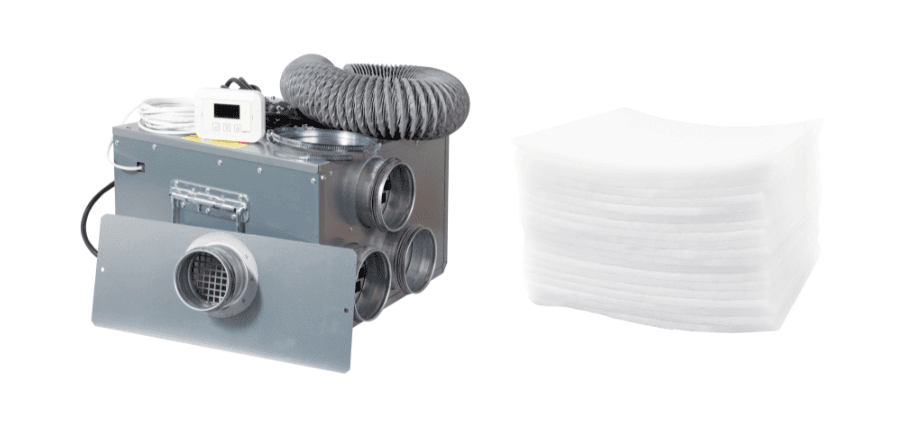
How to replace the filter in your dehumidifier
How you access the filter depends on the model. Always follow the operating instructions supplied with your dehumidifier when replacing the filter. The steps below are general guidance: on some units, you can pull the filter straight out of its holder; on others, you need to open a cover.
Important! Always switch off the dehumidifier and disconnect it from the power supply as instructed in the manual before replacing the filter. Electrical voltage, moving components and hot parts can cause injury. Wait until all moving parts have stopped completely and any hot components have cooled. Do not open covers or electrical compartments that the manual does not specify for access during a filter change.
- Check the model and filter. Make sure the new filter is designed for your dehumidifier.
- Switch off and disconnect the power. Disconnect the power supply as described in the manual. Before removing the filter, check that the fan and all other moving parts have stopped completely and any hot components have cooled.
- Remove the old filter. Open the filter cover if required and remove the filter as instructed for your model.
- Fit the new filter. Make sure it is correctly seated and the air inlet is not obstructed.
- Restart and check operation. Reconnect the power and reset any filter alert as described in the manual.
The video shows a filter change on an older dehumidifier model. Your model may have a different filter holder and require different steps.
It's also worth checking whether your dehumidifier needs cleaning. Only vacuum the parts, and in the manner, specified in the maintenance instructions. On some models, internal cleaning is part of a separate service procedure and involves more work than a filter change. See, for example, our filter replacement instructions for the EvoDry 6H 2.0.
Which filter fits your dehumidifier?
Start by checking the model name and, if possible, the product number on the rating plate or in the manual. For older EvoDry models, the year of manufacture may also determine which filter fits. Don't choose a filter based on its appearance alone.
Our filter finder lets you search by product, product number or filter dimensions. If you need help identifying your model, contact our technical support team. If the unit also needs a more thorough check, you can read about dehumidifier servicing.